TRUNCATE TABLE: Remove all data from a table but retain its structure
#Comparison of TRUNCATE and DELETE commands in SQL #TRUNCATE TABLE: Remove all data from a table but retain its structure
TRUNCATE TABLE in SQL: A Complete Guide
Introduction
The TRUNCATE TABLE statement in SQL is used to quickly remove all records from a table without logging individual row deletions. Unlike the DELETE statement, which removes records one by one and logs each action, TRUNCATE TABLE deallocates the entire table’s data pages, making it a faster and more efficient way to clear a table.
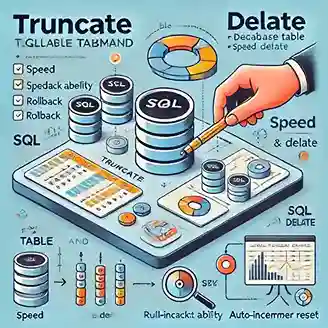
Syntax of TRUNCATE TABLE
TRUNCATE TABLE table_name;
Replace table_name with the name of the table you want to truncate.
Key Features of TRUNCATE TABLE
- Faster Execution: Since it deallocates data pages rather than deleting individual rows,
TRUNCATEruns much faster thanDELETE. - Removes All Data: Clears all records from the table instantly.
- Auto-Increment Reset: Resets any
AUTO_INCREMENTprimary key columns to their starting value. - Cannot Be Rolled Back (in Some Databases): In databases like MySQL (without transactions),
TRUNCATEcannot be undone. - Does Not Trigger DELETE Triggers: Unlike
DELETE, it does not activateON DELETEtriggers.
Difference Between TRUNCATE and DELETE
| Feature | TRUNCATE TABLE | DELETE |
|---|---|---|
| Speed | Fast | Slower (logs each row deletion) |
| Rollback | Not always possible | Possible (if used within a transaction) |
| Auto-Increment Reset | Yes | No |
| Trigger Activation | No | Yes |
Example Usage
Scenario: Removing all data from an employees table.
TRUNCATE TABLE employees;
This command instantly clears all records from the employees table while preserving its structure.
When to Use TRUNCATE TABLE
✅ When you need to remove all records quickly.
✅ When you want to reset auto-increment counters.
✅ When you don’t need to track deleted records.
When NOT to Use TRUNCATE TABLE
❌ If you need to delete specific rows instead of the entire table.
❌ If you want to preserve auto-increment values.
❌ If your database requires rollback capability.
Conclusion
The TRUNCATE TABLE command is a powerful and efficient way to remove all records from a table in SQL. However, it should be used cautiously, as the operation cannot be undone in some databases. Understanding its differences from DELETE can help optimize database management and performance.
Table of content
- Introduction to SQL
- SQL Basics
- SQL Queries and Commands
- Filtering Data
- SQL Joins
- Aggregating Data
- Modifying Data
- Working with Tables
- Constraints in SQL
- Indexes and Views
- Advanced SQL Topics
- SQL Interview Preparation
- Additional SQL Resources